Ransomware in a Hospital: The First Six Hours
Published
It starts at 02:40 with the night duty technician noticing that a report will not print. By 03:15 the registration counter cannot open a patient record and the error is the same on every terminal. By 04:00 somebody finds a text file on a shared folder explaining, in confident English, what has happened and where to send payment. The casualty officer is still admitting patients, because casualty does not stop, and there is now no system to admit them into.
Every hospital IT head has imagined this. Fewer have decided, in advance, what happens next.
The hospital-specific part
Ransomware in a hospital differs from ransomware in a factory in one respect that changes every decision: the operation cannot pause. Patients in beds still need drugs, ventilated patients still need monitoring, and the theatre list has people already fasting.
That reality drives three constraints most incident plans ignore.
- Clinical continuity comes first and is not a technology decision. It belongs to the medical superintendent, not to IT.
- Systems cannot simply be switched off wholesale to contain the spread, because some of them are keeping people alive.
- The organisation cannot go quiet while it investigates. Patients keep arriving at the gate.
The plan therefore has to be written by clinical leadership and IT together, or it will be a plan for a business that can close for a day.
The first six hours
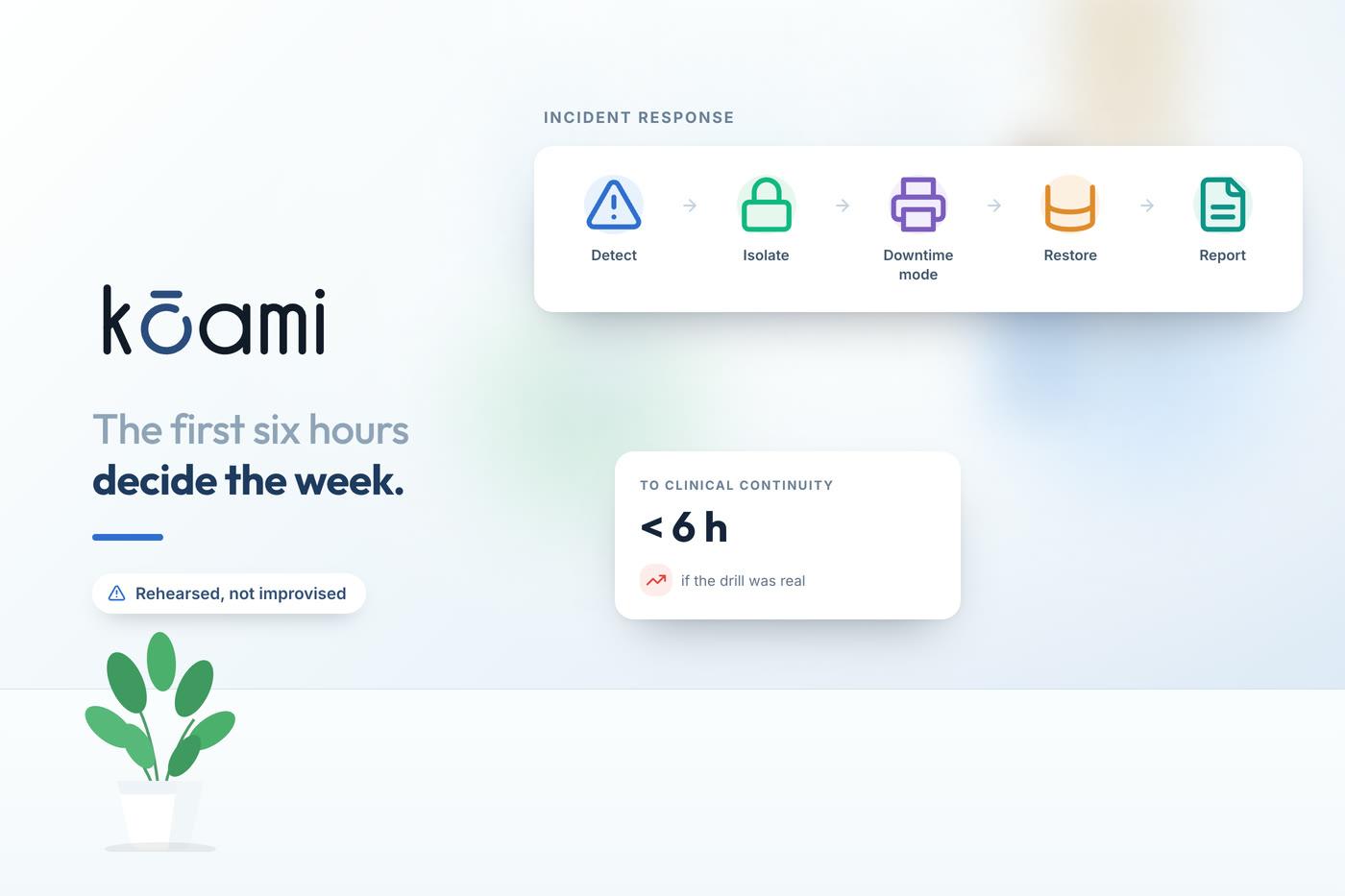
The sequence below is deliberately mundane. Under pressure, at four in the morning, people execute what is written down and little else.
Contain, but selectively. Isolate the network segments that are spreading rather than pulling every cable. Disconnect from the internet and between sites. Preserve the ability of clinical monitoring to keep monitoring.
Declare, and say the word. Somebody has to say "this is a ransomware incident" out loud, because until it is declared, everyone is still troubleshooting a printer problem. Name in advance who has the authority to declare it, and make sure that person is reachable at night.
Go to downtime procedures. This only works if they exist on paper, physically, and staff have used them. More on this below, because it is where hospitals live or die.
Preserve evidence. Do not wipe and rebuild the first affected machine. It holds what you need to understand how far this went. Take images before anyone starts fixing.
Notify. CERT-In's directions require reporting cyber incidents within a tight window, measured in hours, not days. Have the contact details and the reporting format ready in advance, because finding them at 05:00 wastes the window. If personal data is involved, data protection obligations run in parallel and need their own clock.
Assess the backups, carefully. The first question is not whether backups exist but whether they are reachable from the compromised network. Modern ransomware looks for backups first, and a backup server on the same domain is usually already encrypted.
Communicate internally. Wards need to know what is down and what to do. A single message from a named person beats twenty versions circulating on WhatsApp.
Downtime procedures are the actual control
Every hospital has a folder called Downtime Procedures. In most, it was written for a two-hour power cut, printed once, and filed somewhere nobody can now find.
A downtime procedure that works for a multi-day outage looks different.
- Paper forms exist, physically, in the departments that need them: registration, OPD, casualty, pharmacy, lab, radiology, billing. Printed, in a labelled box, in a location every shift knows.
- A manual numbering scheme for registrations and admissions is defined in advance, so records created during downtime can be reconciled afterwards without collisions.
- A read-only copy of critical data is available offline. Current inpatient list with diagnoses and drug charts, allergies, and the theatre schedule. Some hospitals print this nightly for exactly this reason, and it looks wasteful right up until the night it is the only patient list in the building.
- The pharmacy knows how to dispense and record without the system, including narcotics, where the register is a statutory obligation that does not pause.
- The lab knows how to receive requests and issue results on paper, with a plan for how those results get back into the system later.
- Everybody knows the back-entry plan: who types the backlog in, in what order, and by when. This is the phase that takes longest and gets least attention.
Staff should have practised at least once. A drill during a quiet afternoon, with the systems deliberately made unavailable for an hour, teaches more than any document.
The measure of readiness is not whether you have a downtime folder. It is whether the ward clerk on night duty knows where it is.
Backups, and the only question that matters
Every hospital says it has backups. The question is narrower: when did you last restore one, and how long did it take?
A backup that has never been restored is a hypothesis. The failure modes are boringly consistent — the job had been failing silently for weeks, the backup was on a share the ransomware also encrypted, the restore worked but took four days because nobody had measured, or the database restored while the document store did not and half the record came back.
What survives a serious incident is offline or immutable copies that cannot be modified even with domain administrator credentials, kept separate from the production environment, and tested by an actual restore on a schedule with the elapsed time written down. The recovery time you can prove is the only one you have.
The prevention that pays
None of the above prevents anything. Prevention is unglamorous and mostly known.
Multi-factor authentication on every remote access path, especially the vendor support routes that exist on almost every hospital network and are rarely inventoried. Patching, particularly of internet-facing systems. Network segmentation, so that biomedical equipment and administrative desktops are not on the same flat network as clinical servers. Removing local administrator rights from ordinary workstations. Email filtering and phishing awareness, which is where most intrusions still begin.
Biomedical devices deserve a paragraph of their own. Many run operating systems that cannot be patched without voiding a service contract, and they sit on the network because they must exchange data. They cannot be secured like a laptop, so they need to be isolated: their own segment, tightly controlled traffic, and monitoring that notices when one starts behaving unlike a monitor.
The question that reveals everything
Ask the hospital's IT head one question: if the primary database were encrypted right now, when was the last successful restore test, and how long did it take?
An answer with a date and a duration means somebody has done the work. Anything vaguer means the recovery plan is a hope, and the first time it is tested will be the night it is needed.
Follow Kōami on LinkedIn
Get the next guide on hospital operations, software and compliance in your feed, as soon as it is published.